


 Technology
 PUBLISHED


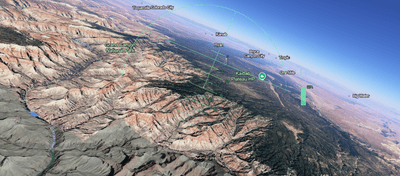


Google Earth has just made its "Flight Simulator" freely available in web browsers for everyone. Here's how you can use it in just a few clicks.
Launched on June 12, the tool allows anyone with access to Google to control a plane from a cockpit-view over the 3D landscapes and cityscapes of Google Earth.
The simulator was previously hidden inside the downloadable Google Earth desktop application as an "Easter egg", but it has now been made available in the standard browser version, which you can access here.
Simply open up the link, click the “Tools” menu on the top bar, then select “Flight Simulator.”
Don’t expect it to be as fancy or technical as paid-for video games like Microsoft Flight Simulator, but it's the best time-wasting tool you’ll be able to play for free from the comfort of your office chair.
The controls – which are a little tricky to get a hang of at first – are as follows:
Action | Keyboard control |
| Increase thrust | Page up or click on-screen indicator |
| Decrease thrust | Page down or click on-screen indicator |
| Pitch down (dive) | Down arrow |
| Pitch up (climb) | Up arrow |
| Roll left (bank) | Left arrow |
| Roll right (bank) | Right arrow |




 3
3