Ad

technology-iconTechnology
clock-iconPUBLISHEDFebruary 29, 2024
comments icon2
share350

Twitter Calls Are Now Enabled By Default. Here's How To Turn Them Off

Don't be calling me on Twitter.

James Felton headshot

James Felton

James Felton headshot

James Felton

Senior Staff Writer

James is a published author with multiple pop-history and science books to his name. He specializes in history, space, strange science, and anything out of the ordinary.

Senior Staff Writer

James is a published author with multiple pop-history and science books to his name. He specializes in history, space, strange science, and anything out of the ordinary.View full profile

James is a published author with multiple pop-history and science books to his name. He specializes in history, space, strange science, and anything out of the ordinary.

View full profile
EditedbyFrancesca Benson
Francesca Benson headshot

Francesca Benson

Copy Editor and Staff Writer

Francesca has an MSci in Biochemistry from the University of Birmingham.

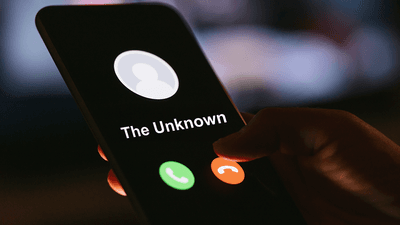
A call from an unknown number on X.

Turn it off if you don't want calls like this.

Image credit: r.classen/Shutterstock.com, Edited by IFLScience


X (Twitter) has a new feature that nobody was asking for: audio and video calls, following in the footsteps of social media giant Meta.

The rest of this article is behind a paywall. Please sign in or subscribe to access the full content.

The platform announced that the feature is now available to everybody, as of Wednesday.

While probably useful to somebody, not everybody is keen. Facebook Messenger, which rolled out the feature back in 2015, is generally used to connect with people you know from the real, offline world. X, on the other hand, has grown as a platform for public dialogue and debate (as well, of course, as the memes). While you might follow somebody and they might follow you back, there's a good chance you don't want them to be able to call you directly at any time of the day or night.

Currently, the option is enabled by default, but it is fairly simple to disable. Open the X app on your device and head to your messages. At the top right-hand corner is a cog, tap on it to reveal message options.

How to disable audio and video calls on Twitter (X).
Simply toggle the option.
Image credit: X/IFLScience

There you will be given the option to restrict calls to people you follow – or, for the truly chaotic user, let anybody who pays $8 a month for X Blue ring you if they fancy a chat.

Simply toggle the "enable audio and video calling" option to off (turning the button grey) and you can tweet safely in the knowledge that nobody is going to call you about it.


Written by 

Add us as a Google preferred source to see more of our
trusted coverage in Search